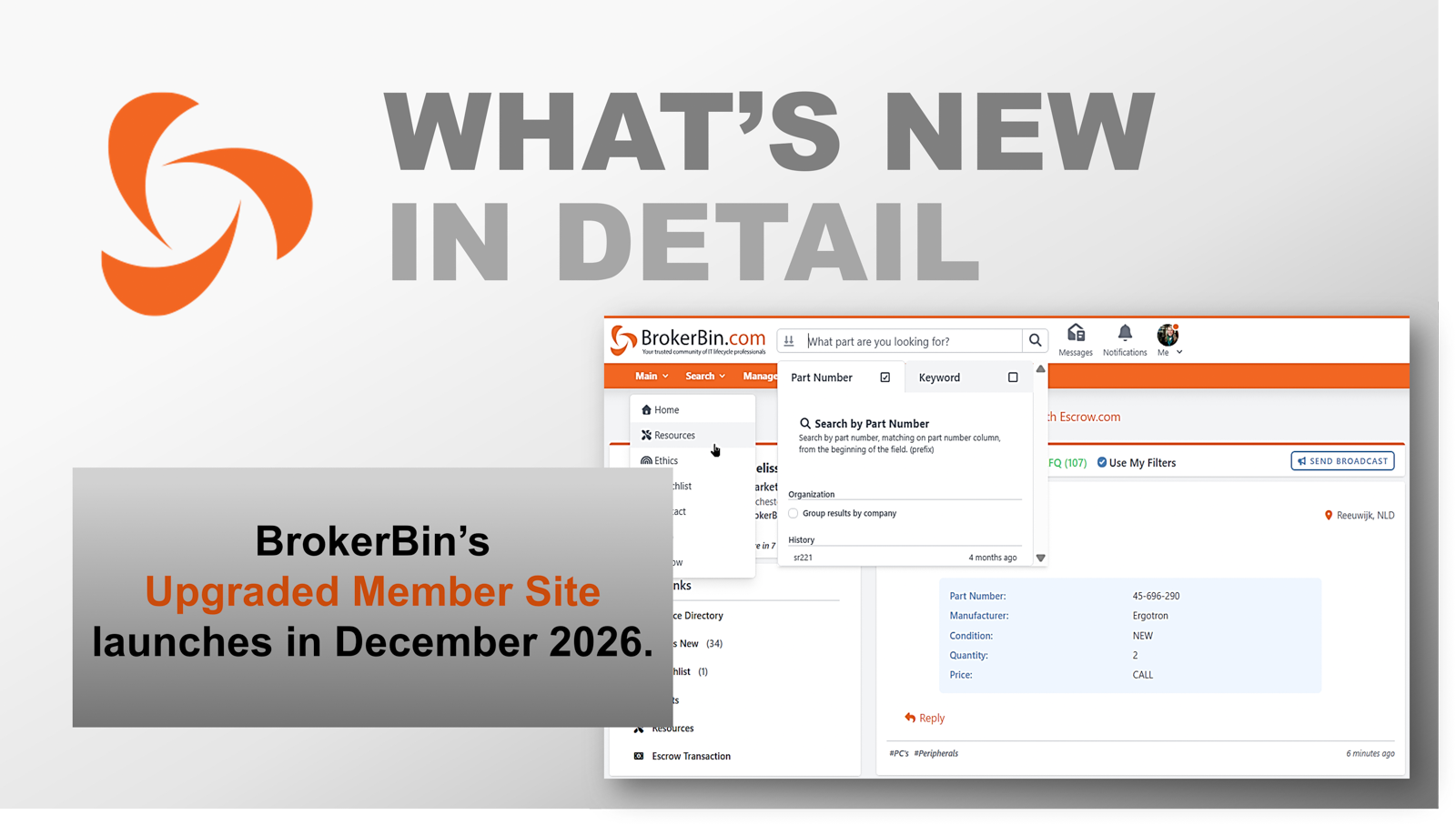
What's New in Detail: BrokerBin's Upgraded Member Site Launches in December
To celebrate our 25th Anniversary next year, we’re rolling out a modernized Member Site in December. We’ve designed this new version in partnership with members who participated in a multi-year feedback process. Members shared shifts within the enterprise IT hardware resale market as well as how their business models have expanded to include diversified services and product lines, including ITAD and laptops. They collaborated on re-imagined features and innovations designed to streamline trading processes and ease connections with other members.
These upgrades as well as an overall refreshed look, which is now mobile-friendly, will support our members today and in the future.
What’s New in Detail:
Mobile-Compatibility – The trading platform is now compatible with mobile devices to accommodate users on-the-go. The site redesign fits neatly into mobile screens of any size. To access the mobile version, navigate to Members.BrokerBin.com in any mobile browser and log in.
Enhanced Part Search – The top search bar has new capabilities to enhance functionality when searching for IT parts. To expand search parameters, users click within the search bar and can choose between basic or advanced functions. Advanced search allows users to search by keyword, such as laptops, PCs, smartphones, or other whole system. To search multiple parts, users can expand the search bar by clicking the down arrow and pasting part numbers in the box.
Compare Results – On the part search results page, users can now compare selected lines by checking the box of each inventory line and then clicking the "Show Selected” option at the top of the results table.
Saved Searches – For those users who want to return to a previously conducted search, they can now save their searches by clicking on the “Save this search” link at the top of the results table. Saved searches are stored in the Me drop-down menu (profile photo).
Group Results by Company – In the basic search, users can now select the option to organize results by company.
Inventory On-Site Column – The new On-Site column appears just before the Part/Model column in search results. A pin icon is visible for those listers who have been verified by BrokerBin account managers as holding on-site inventory. The pin corresponds to the business address published on the Company Profile.
Dashboard Redesign – The main dashboard now includes a scrolling newsfeed like social media platforms but customized for IT Lifecycle posts, such as broadcasts, watchlist alerts, upcoming events, and other industry news. The newsfeed allows users to filter by broadcast type and includes a quick link to send a broadcast. Additionally, users can access Quick Links, Messages, Notifications, and their Profiles (Me) from the dashboard.
Online Status – Every user now has a profile photo associated with their account, which appears in Broadcasts, Messages, and Contacts. When a user is online, an orange dot appears in their photo; when the user is offline, the dot is gray.
Messages – Now, each user has a personal message inbox to support one-on-one communications with other members. The platform saves an archive of sent and received messages to refer to when needed. When another user is online (as designated by an orange dot on their profile photo), the Messages feature can operate as a back-and-forth direct messaging tool.
Notifications – The new Notifications icon to the right of the top search bar is an alert history of all account activity for a member company. The bell will light up when a new notification is posted. Notifications can be filtered by Broadcasts, Message, Match Your Hits, and Inventory Updates.
Me Menu (Profile Photo) – The ‘Me’ menu appears to the right of the top search bar. It features an individual user and their specialties for the ease of connection. When a user is online, their profile photo will show an orange dot. ‘Me’ includes a drop-down menu of common user-specific links – Personal Info, Vendors, Contact, Saved Searches, and Hotlist.
Contacts – A quick-access ‘Contacts’ expandable box now appears on every platform page in the lower right. This feature offers a quick way to get in touch with another member. If that member is online, users will see an orange dot on their profile photo. Choose to send a message or call.
Global Service Directory – Companies can now search and send RFQs to service providers for over 50 specialized IT Lifecycle service categories. Filter by geographic location, certifications, including R2V3 and ISO, products, and manufacturers.
Service Broadcasts – Users now have the option to send Want-to-Buy, Want-to-Sell, or RFQ broadcasts for services. Service broadcasts can be filtered by 50+ specialized IT Lifecycle service categories.
ITAD Specialty Broadcasts – The broadcast category, ITAD, has been added to send and receive only broadcasts with material coming from the ITAD market. Broadcasts can also be filtered by this specialized category.
Escrow Transactions – For enhanced payment protection, BrokerBin members can now initiate Escrow.com transactions from directly within the platform. A “Verified” badge appears on Company Profiles and inventory listings for those companies who have been verified by Escrow.com.
IT Lifecycle Resources Library – Browse a collection of industry-specific content, such as BrokerBin’s TradeIQ podcast series, insights webinars, and case studies featuring IT Lifecycle leaders.
Industry News – BrokerBin Members can now submit company press releases, articles, white papers, and reports (no advertorials) to be published in the Resources Library. Send press releases to: mschmid@brokerbin.com.
Throughout the month of December, we will migrate members to the upgraded site. BrokerBin account managers will be available for one-on-one support. Team training sessions can also be scheduled with your account manager.
To schedule a training session or to provide feedback:
Can’t wait until December to see the new site?
Visit Beta.BrokerBin.com to get started today.
About BrokerBin:
With over 10,000 members throughout 65 countries, BrokerBin has become a leader in the IT Lifecycle market. From wholesalers and resellers to brokers, VARS, ITAD and ITAM professionals, freight forwarders, logistics, packing, and other service providers, the BrokerBin community provides the most curated group of professionals operating in this space.
Learn more at www.brokerbin.com. Not a member? If you’re a broker, reseller, wholesaler, service provider, or other IT Lifecycle professional, we invite you to apply for membership.